How To Connect To a Wireless Access Point in Windows 7
So far none of the vendors have issued drivers for Windows 7 – that’s as far as I know, but Windows 7 amazingly found all the drivers on my laptop, including the wireless adapter drivers. I have always used the wireless management utility from the vendor, but now with Windows 7 I had to use the Windows built-in wireless utility.
The wireless built-in utility in windows 7 is almost the same as on Windows Vista – it only has a few differences. if you notice, on windows vista the start menu has an option “Connect to”
Windows 7 does that have this option, so you will need to go to the control panel in order to access the wireless management tool.
that’s the network and Internet applet in control panel in Windows 7. from here you can configure wireless networks, or the LAN TCP/IP settings. if you click on the applet it will bring the the options for the configuration:
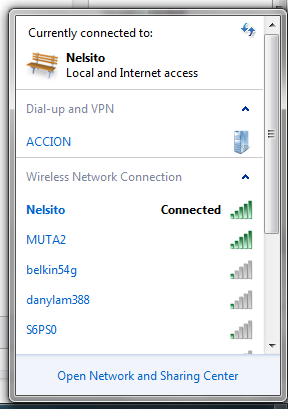
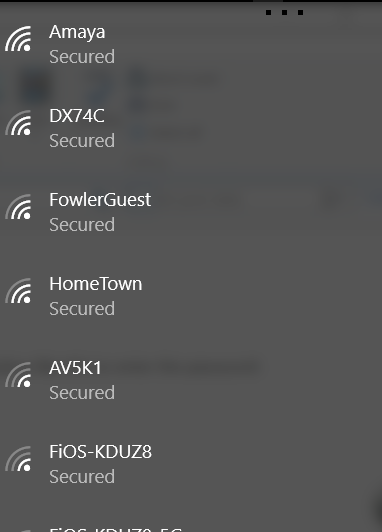
from the window above if you click on Connect to a network option it will bring the wireless access points currently available around you:
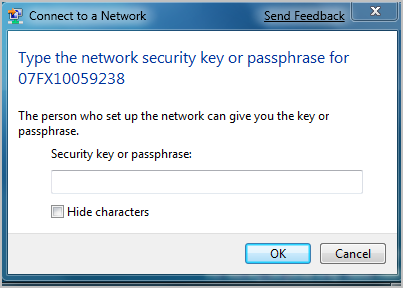
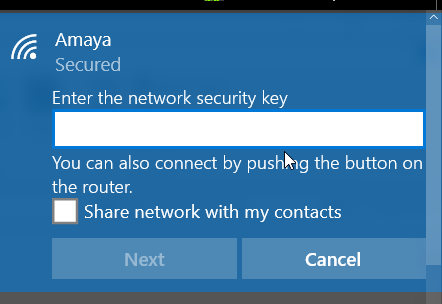
from here you can connect to any wireless access point you have access to it. if the wireless is security-enable it will ask for the security key:
and that’s all you basically have to do to connect to your wireless access point.
Related Posts
- How To Setup A Wireless Profile On Windows 7
- Changing Static IP Address To Dynamic In Windows 7
- Windows 7 Remote Server Administration Tools
- Setup Outlook With Exchange Cached Mode on Outlook 2007
- Setup Linksys Router With Radius Server Authentication
- Computer Optimization Guide
- How To Transfer Files From Windows XP to Windows 7
25 Comments »
Leave a comment
If you want to leave a feedback to this post or to some other user´s comment, simply fill out the form below.

Um, when I click on Connect to a network, all it says is Dial-up and VPN. It doesn’t show Wireless Network connection. However, before I updated my Vista to 7, it could connect to the wireless internet just fine. What happened????
I would like to automatically reconnect to the wireless network — in vista you could select to reconnect. I cannot seem to find how to do this in Win7. Any help would be appreciated.
From what I’ve understood so far, certain wireless adapters aren’t compatable with Windows 7 software. For example, my Dell Inspiron from 2005 is too old, so I have to connect via ethernet cable. Disappointing to say the least.
Try upgading your firmware! Most companies are just coming out with updates, so look for yours at your manufacturer’s website. I found a new linksys driver I never knew was there. It will help you.
I bought a new laptop with Windows 7. It found my wireless network and when I tried to connect I was prompted for my password as in the dialogue box above. Unfortunately, I entered the wrong password and it obviously wouldn’t connect.
My problem now is that it won’t give me the opportunity to enter the correct password as it has automatically remembered the wrong one (I wasn’t prompted for this). I have tried to delete the network to start again but the menus are different so I haven’t found what I would have used in XP, and when I’ve tried other things it doesn’t work.
please, please help
To correct the entering of a wrong wireless password, go to the list of networks, right click on your network and choose properties. There should be a password box with dots in it that will probably disappear as soon as you click in that box. Enter your correct password there FOR GREAT JUSTICE.
I just bought a new acer laptop with windows 7 and it lets me connect to my router but it says limited access..and will not let me connect to the internet…:( PLZ if you are aware of the problem please helpp me it is greatly appericated!
I am using cdma wireless modeum it setup in XP is easier but the same process in windows 7 does not respond the setup
i follow your instruction ready but it’s still doesn’t work. it still have announcement WINDOW WAS UNABLE TO CONNECT TO …..
i bought a new laptop using windows 7 is not connecting with wireless connection it connect fine with cable not wireless i have tryed to setup but still the same thing i have followed the instruction but i failed
I have a similar problem. I just got a laptop that has windows 7 on it. I have a t-mobile linksys router that the modem is connected to. From that I have a Buffalo routed that is hard wired to the tmobile router. The buffalo router is configured as an access point. My laptop can connect wirelessly to the buffalo router and get an ip address from the tmobile router but I an not get out to the internet. My laptops that are running windows XP can connect the same way perfectly fine. I had buffalo and HP on the phone the other night for over 2 hrs and can’t figure it out.. Hope somebody here can
To Nicola,
How did you solve your problem? I tried the suggestion below your post, and it didn’t work.
but what if i don’t know the password ?
i don’t know how to hack and it’s wrong X_X
windows 7 wireless adapter disabled and not at all enabled even after enabling
it still remain desabled
In XP I was able to connect to networks at work/ school by clicking “The network key is provided to me automatically”. Does anyone know how to do this in windows 7?
My laptop has windows 7 and when i go to connect it says i only have limited access
I have the same problem! Although I input the correct password and it says that the strength is high it still won’t connect: Limited Access! I remember having the same problem with my other laptop a few months ago when I upgraded it to windows 7 and somehow I managed it to work but now it’s just pissing me off!!! Help me please
Hi Moni, sometimes you get the “limited access” warning because the computer cannot get an IP address – that’s normally a problem with your wireless router, not your laptop.
run a test by connecting to another wireless access point if you can, if it connect then there is something wrong with your wireless access point you are trying to connect to.
regards,
Nelson
Hi Moni and Nelson,
I have the same problem that when I try to connect wirelessly it connects fine but then says limited access! I am only able to connect successfully and access the net on my home wireless. I dont think it is an access point problem though because it doesnt work anywhere else i.e. not at anyone elses home, or school etc.??? It is so frustrating!!!! Please Help!
Yuly, I posted a reply to your question here http://forevergeeks.com/changing-static-ip-address-to-dynamic-in-windows-7 . it was too long to reply on the comment section.
I hope it helps,
thanks,
Jose
uum, excuse me, but doyou know any of the security/passwords for those networks..
excuse me… i used to use window vista … then. my laptop was infected by virus… then. i formatted my laplop and upgraded to Windows 7…. Then. i tried to connection with my Wireless connection… I doesn’t work. i see Wireless connection are available .. but can’t connect … WHy? i clicked to connect, it shows error… wad should i do?? plz help me
Best bet for everyone…get a mac. Online in a flash and it actually works. Couldn’t believe how much easier everything is to do.
Just installed Linksys wireless-G router on my PC (Vista) – works fine. However, when i try to connect my daughter’s newer Windows 7 PC so she can access Internet, it remains “searching for device.” Note: daughter’s Windows 7 PC has previously only been used for games/homework – no internet. Linksys instructions did not cover Windows 7, but your website provided step-by-step instructions – thsnks! Suggestions – what am i doing wrong?
Oh well, at least I know now it’s not just me!! During set up of my new laptop I was prompted to enter WEP key for my wireless connection. I knew this – miracle in itself – so I was feeling very smug!! But then computer wouldn’t accept but said I could come back to this step later – It lied. If I plug in to box via cable it’s perfect but when I unplug nothing.Computer says wireless connections are available and the name comes up and it shows good signal but won’t connect. My situation is a bit different from everyone else’s because we live in such a remote location no internet server was able to help us with a connection until we found a small private company who wanted to extend their service to our area so in exchange for allowing a di8sh thing on our ground big enough to land aircraft by, we have free internet. I was thinking therefore it was an equipment incompatibility problem but now I know! As an aside, the guy that owns the dish said to right click on the name of the network and select properties to enter the key well… a) when I do this it just tries to connect – no menu comes up and b) what good would that do… I’ve given it the right key already. Sorry to rant I’m just frustrated. Don’t ever let me meet Bill Gates – well not with a gun in my hand anyway