

If you work for a small organization and are planning to setup an enterprise wireless access point network, you might be glad to know that you can accomplish that using a broadband Linksys router. In this series I will explain how you can accomplish that.
Requirements to successfully setup a Linksys router with Radius server.
- Internet authentication service (IAS)
- An active directory group
- Group Policy Editor
- A Linksys Router
- Authority certificate service (CA) not required
The First thing we need to do is to setup the Internet authentication service on windows 2003 server, the server needs to be on the domain, but does not necessarily need to be a domain controller.
Installing Internet Authentication Service (IAS)
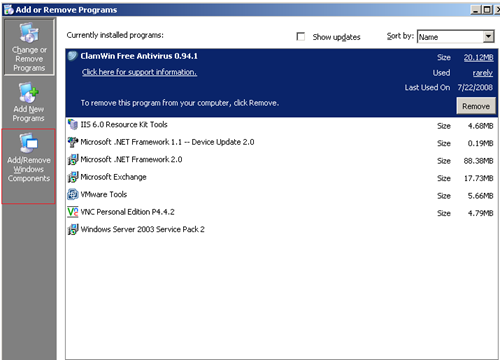
On the server desktop, click on Start, then on Control Panel, and then on Add/Remove Programs on the add/remove programs window click on Add/Remove Windows Components:
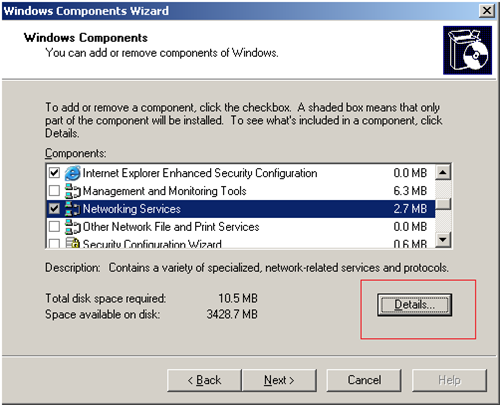
The Windows Components wizard should come up. scroll down to Networking Services and click on the Details tab:
check the Internet Authentication Service and click on OK. click Next on the windows components wizard to install the service.
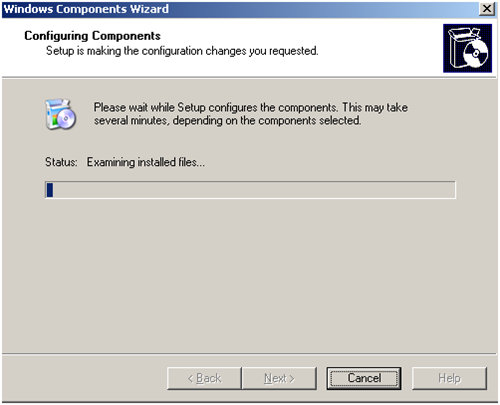
after a few minutes the Internet authentication service should get installed. if you navigate to you server administrative tools you should be able to see the the Internet Authentication service installed.
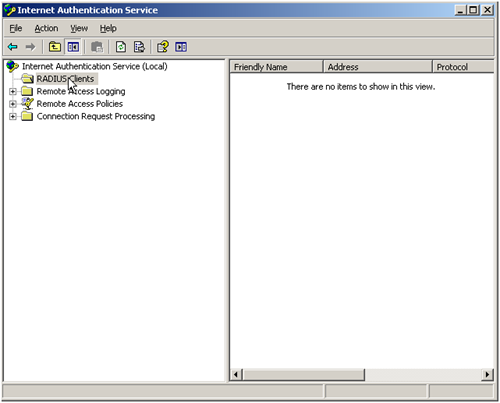
On the next article we will configure the Internet authentication service, and make it talk with the Linksys router.
Was this helpful?
10 people found this helpful